











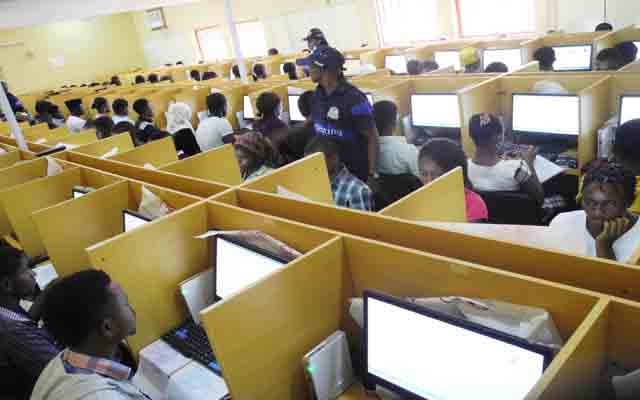




The Joint Admissions and Matriculation Board (JAMB) has officially released the initial batch of results for the 2026 UTME.
While candidates can now view their scores, the board clarified that the option to print official result slips remains temporarily disabled.
JAMB spokesperson Fabian Benjamin announced on Friday night that result printing will be enabled at a later date.
In the interim, candidates who took the exam on Thursday, April 16, are encouraged to check their performance via SMS.
“Candidates are strongly cautioned against manipulating the SMS received from the official platform (55019/66019) to fabricate or alter scores with the intent to mislead others, including parents. Such actions constitute a serious criminal offence,” Benjamin said.
The 2026 UTME, which began on April 16, is expected to continue until April 22 across examination centres nationwide.
Tips on how to check your score via SMS
– Ensure you have at least N50 airtime on the phone number linked to your JAMB registration.
– Send UTMERESULT to 55019.
– Your score will be delivered to you via SMS.
How to print your official result slip once activated
The result slip carries the candidate’s passport photograph, full scores, and details required for admission processing.
It will be made available for printing on JAMB’s e-Facility portal at efacility.jamb.gov.ng and attracts a fee of N1,500.
Once activated, candidates should follow the steps below.
– Visit efacility.jamb.gov.ng.
– Log in with your registered email address and password.
– On your dashboard, click Print Result Slip.
– Click Continue with Payment and pay the N1,500 fee.
– Select 2026 as the examination year and enter your JAMB registration number.
– Download and print the result slip.
Important tips
– Use only JAMB’s official websites — efacility.jamb.gov.ng or portal.jamb.gov.ng — to avoid scams.
– Keep multiple printed copies of your result slip, as institutions typically request it during screening and admission.
– If you have forgotten your password or email address, use the Forgot Password option on the portal or visit a JAMB office with your registration details.
Author











Leave a comment